

How do I set up a CI/CD pipeline with GitHub Actions for a production app, and who can do it for us?
17 Nov 2026 · 7 min read
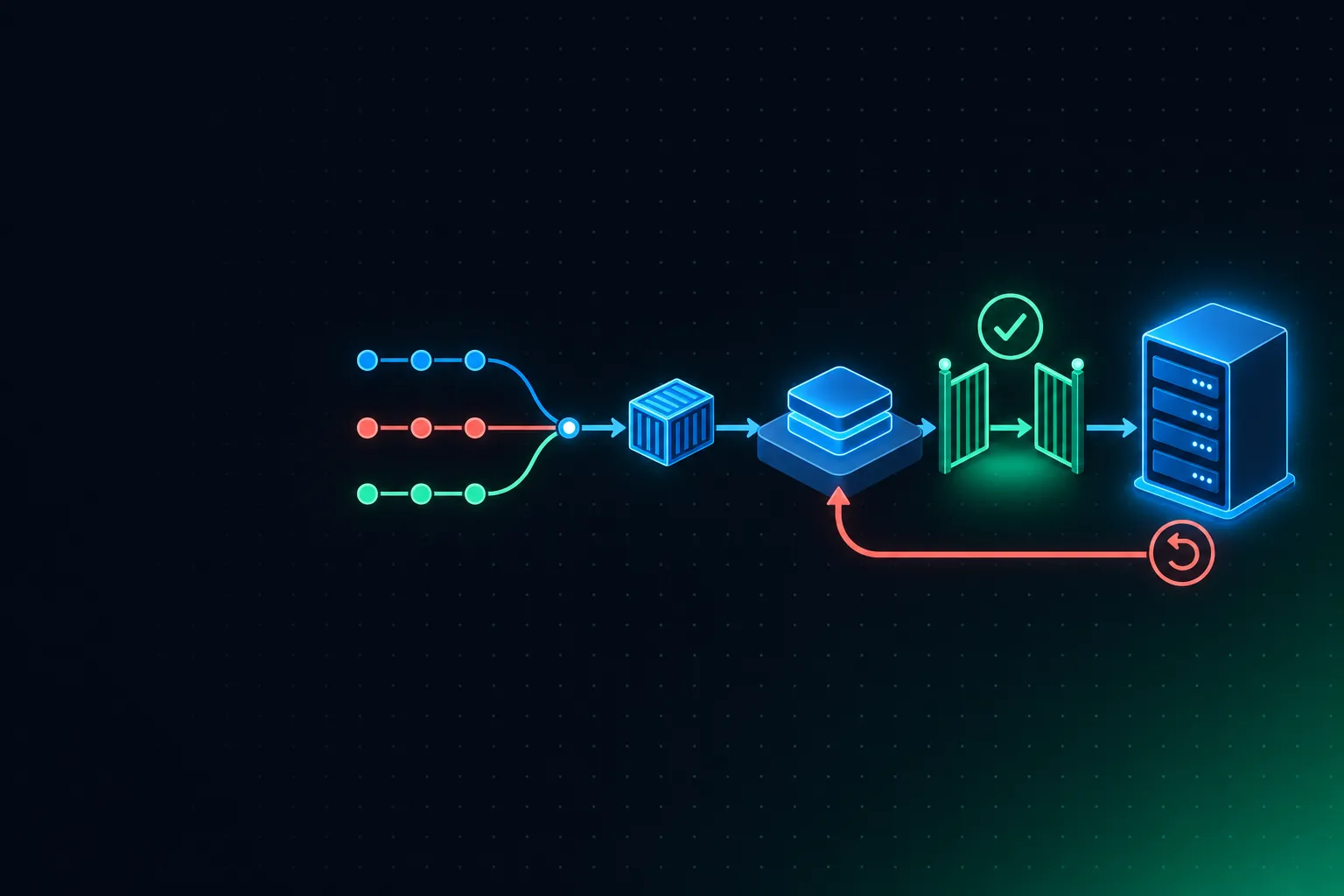
Short answer: Run tests and security scans on every pull request. On merge to main, build one container image tagged with the commit SHA and deploy it to staging. Then promote that same image to production behind a GitHub environment that needs an approval.
Use OIDC to get short-lived cloud credentials instead of storing keys, and make rollback a redeploy of the previous image. A DevOps team can set this up in a few weeks; we do it as part of a managed DevOps foundation.
The pipeline, stage by stage
| Stage | Trigger | What runs | Gate |
|---|---|---|---|
| CI | Every pull request | Lint, unit tests, build, SAST and dependency scan | Required status checks before merge |
| Build | Merge to main | Build the image once, tag it with the commit SHA, push to the registry, scan it | Image scan passes |
| Staging | After build | Deploy that image, run migrations, smoke tests | Smoke tests pass |
| Production | After staging | Deploy the same image | Environment approval, optional wait timer |
| Rollback | On demand | Redeploy the previous image tag | — |
Step by step
- Protect main. Require pull requests, required status checks and at least one review.
- Build once, promote the artefact. Never rebuild for production; what you tested in staging is exactly what ships.
- Use OIDC, not stored keys. GitHub Actions can request short-lived credentials from AWS, Azure or GCP (
aws-actions/configure-aws-credentialswithrole-to-assume). Restrict the role's trust policy to your repository and theproductionenvironment. - Use GitHub environments.
stagingandproductioneach hold their own secrets and variables;productionhas required reviewers so a person approves each release. - Stop overlapping deploys. Add
concurrency: { group: deploy-production, cancel-in-progress: false }so two releases never race. - Cache dependencies and image layers.
actions/setup-*caching and Docker BuildKit cache (cache-from: type=gha) keep builds fast. - Handle migrations deliberately. Make schema changes backward-compatible (expand, then contract) so the previous image still works if you roll back.
- Pin and limit. Pin third-party actions to commit SHAs and set minimal
permissions:per job.
A minimal deploy workflow
# .github/workflows/deploy.yml (simplified; pin actions to commit SHAs in real use)
on:
  push:
    branches: [main]
permissions:
  contents: read
  id-token: write          # OIDC
jobs:
  build:
    runs-on: ubuntu-latest
    outputs: { image: ${{ steps.meta.outputs.image }} }
    steps:
      - uses: actions/checkout@v4
      - uses: aws-actions/configure-aws-credentials@v4
        with: { role-to-assume: arn:aws:iam::<account>:role/ci-build, aws-region: ap-south-1 }
      - uses: aws-actions/amazon-ecr-login@v2
      - id: meta
        run: echo "image=<registry>/app:${GITHUB_SHA}" >> "$GITHUB_OUTPUT"
      - uses: docker/build-push-action@v6
        with: { push: true, tags: "${{ steps.meta.outputs.image }}", cache-from: type=gha, cache-to: "type=gha,mode=max" }

  staging:
    needs: build
    environment: staging
    runs-on: ubuntu-latest
    steps:
      - run: ./deploy.sh staging "${{ needs.build.outputs.image }}"

  production:
    needs: [build, staging]
    environment: production     # required reviewers set in repo settings
    concurrency: { group: deploy-production, cancel-in-progress: false }
    runs-on: ubuntu-latest
    steps:
      - run: ./deploy.sh production "${{ needs.build.outputs.image }}"
Doing it yourself vs having it done
| In-house | DevOps partner | |
|---|---|---|
| Best when | You have a platform engineer with time | Your engineers should stay on the product |
| Typical gaps | OIDC, environment approvals, rollback and migrations left for "later" | Delivered as one foundation, with runbooks |
| Ownership after | Your team | Your repository; handed over or kept running on a retainer |
How iDefender does this
We set up the pipeline as code in your own repository: build, test, scan and deploy, with one pipeline promoting a single artefact from staging to production, plus blue-green or canary rollouts with automated rollback. It's part of a 6 to 10 week foundation phase, then kept running on a managed retainer. Our core stack is Docker, Kubernetes, Terraform, GitHub Actions and AWS. See Managed DevOps or book a call.
Frequently asked questions
Is GitHub Actions good enough for production deployments?
Yes. With environments, required reviewers, OIDC and concurrency controls, it covers what most teams use Jenkins or a separate CD tool for. Very large organisations sometimes add Argo CD for Kubernetes GitOps.
How do we keep cloud credentials out of GitHub?
Use OIDC: the workflow exchanges a short-lived GitHub token for temporary cloud credentials, so there are no long-lived keys to leak or rotate.
How do we roll back?
Redeploy the previous image tag. That only works if database migrations are backward-compatible, so plan schema changes in two steps.
Should we use GitHub-hosted or self-hosted runners?
Start with GitHub-hosted. Move to self-hosted runners when you need private network access, special hardware or lower cost at high volume, and never run self-hosted runners for public repositories.